
Imagine we need to create reusable context help component that can be easily added as an attribute to any DOM element like:
<h3 context-help="Some description 1">Some title 1</h3>Under the hood, this component should add a help icon at the end of the wrapped content. Once the user clicks on this icon some help dialog should appear. The dialog should be closed once the user clicks outside or hits the Escape button. That’s all.
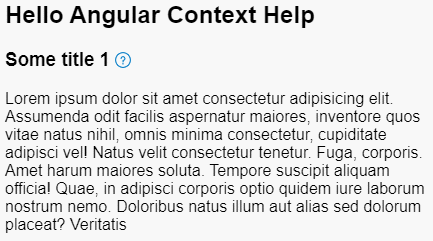
We don’t want to use any additional library but only plain Angular code. So, let’s do that.
To achieve this functionality, we’ll be using <ng-content> in order to preserve wrapped content. Also, we will create an additional container that will contain the icon and dialog itself.
Here’s the complete template:
<ng-content></ng-content>

<div class="context-help-container" #container>
  <i (click)="showHelp = true;"></i>
  <div *ngIf="showHelp" class="context-help-dialog">{{ content }}</div>
</div>
Decorators are heavily used in the Angular world so we tend to use them everywhere. We’ll be utilizing @HostListener for our purpose. Noting hard should be here and I bet you already did something similar:
import {
  Component,
  OnInit,
  Input,
  ElementRef,
  HostListener,
  ViewChild,
} from '@angular/core';

@Component({
  selector: '[context-help]',
  templateUrl: './context-help.component.html',
  styleUrls: ['./context-help.component.css'],
})
export class ContextHelpComponent {
  @Input('context-help') content: string;

  @ViewChild('container') containerRef: ElementRef;

  showHelp = false;

  @HostListener('document:click', ['$event'])
  documentClicked({ target }: MouseEvent) {
    if (!this.containerRef.nativeElement.contains(target)) {
      this.showHelp = false;
    }
  }

  @HostListener('window:keydown.Escape')
  escapedClicked(): void {
    this.showHelp = false;
  }
}
Everything should work seamlessly unless we face some performance issue.
What can be the problem here?
Maybe we won’t face this issue if we have only several instantiated ContextHelp components. But in the real case, we put 100 and more such attributes on a page.
The first thing that I usually do when profiling Angular application is put log point inside ApplicationRef.tick() method:
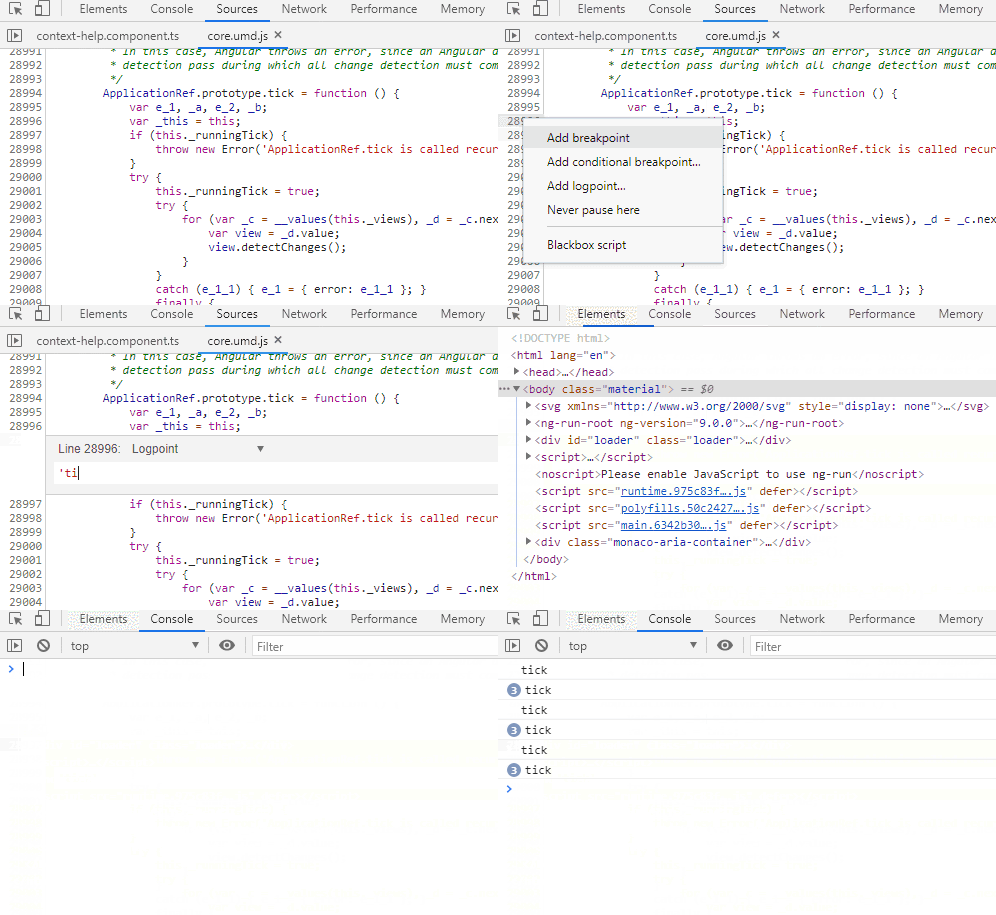
Now, I want to remind you that each event listener that was registered within Angular Zone will trigger change detection in the Angular tree view.
What we have right now?
We utilized two HostListeners that are listening to global events. Each time user clicks on document or hits Escape button Angular will trigger change detection. The more instances of ContextHelpComponent we have the more change detection cycles Angular will execute.
Here’s what happens if we have added 100 context-help attributes on a page.
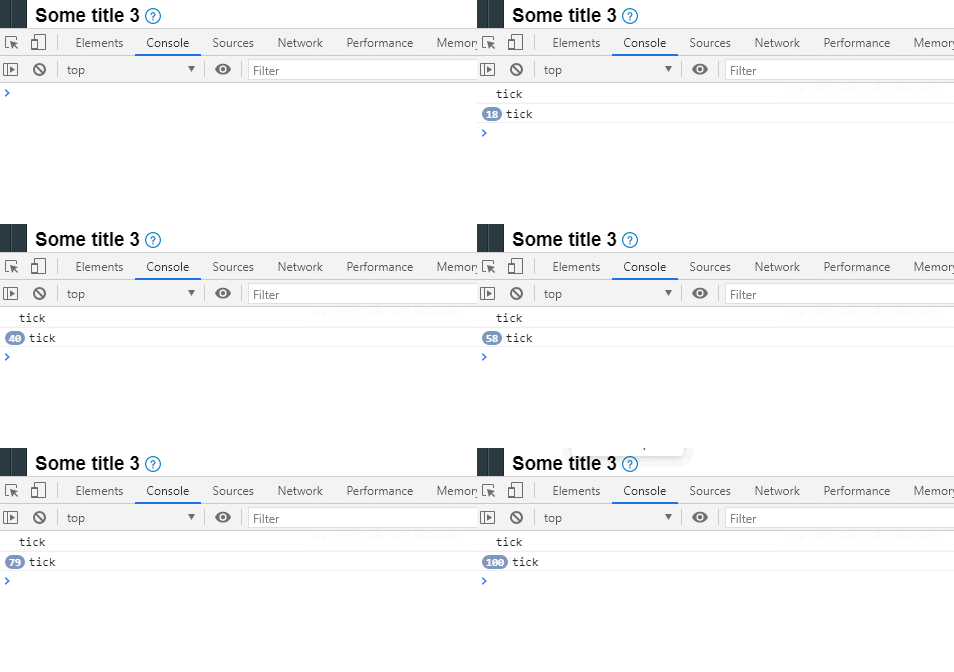
I hope you utilize onPush change detection in many parts of your application otherwise you will be in trouble.
Solutions
In order to remedy this behavior and reduce change detection cycles we can think of many options:
- coalescing events feature
With this feature enabled
platformBrowser().bootstrapModule(AppModule, { ngZoneEventCoalescing: true });Angular will defer the change detection cycle by using requestAnimationFrame. As a result, we will have only one tick.
You can read more about this feature in this great article by Netanel Basal.
- reusable clickOutside directive which utilizes the same pair of @HostListener's
This way we defer subscription to those events until a dialog appears in the DOM.
- remove @HostListeners from ts code and move subscriptions to the template by leveraging (output) events on the dialog:
<div
  *ngIf="showHelp"
  class="context-help-dialog"
  (document:click)="documentClicked($event)"
  (window:keydown.Escape)="escapedClicked()"
>
  {{ content }}
</div>
This behaves similarly to the previous option. Angular won’t subscribe to global listeners until a dialog appears in the DOM.
Thank you for reading! Keep coding!