
In this blog post, we will learn how we can override some default options in Angular Schematics.
Introduction
Last week I was working on an Angular Library, and in all the components we wanted to have encapsulation set to None and changeDetection to OnPush. We also wanted to add all components and directives to exports, so it can be utilized in other modules.
We realized it will be a waste of effort to add it manually for each component and module.
Solution
The solution to avoid this is to use angular.json and now you must be like Joey and who wants to see the solution.
And it's not only for components we can override Schematics options from directives, classes, services and many more. Feeling like below guy.
We are getting there just hold on, we will do all this without writing any code.
Overriding Schematics Options
Every developer is aware of angular.json and most of the time we keep using default options provided and don’t bother into looking for what more it has to offer.
So let’s look at the options provided byangular.json create one Angular application using CLI.
Below is how your angular.json looks like.
{
  "$schema": "./node_modules/@angular/cli/lib/config/schema.json",
  "version": 1,
  "newProjectRoot": "projects",
  "projects": {
    "bulma-app": {
      "projectType": "application",
      "schematics": {

      },
      "root": "projects/bulma-app",
      "sourceRoot": "projects/bulma-app/src",
      "prefix": "app",
      "architect": {

      }
    }
  },
  "defaultProject": "bulma-app"
}
And the option we are interested in here is schematics . It opens up a lot of possibilities for us.
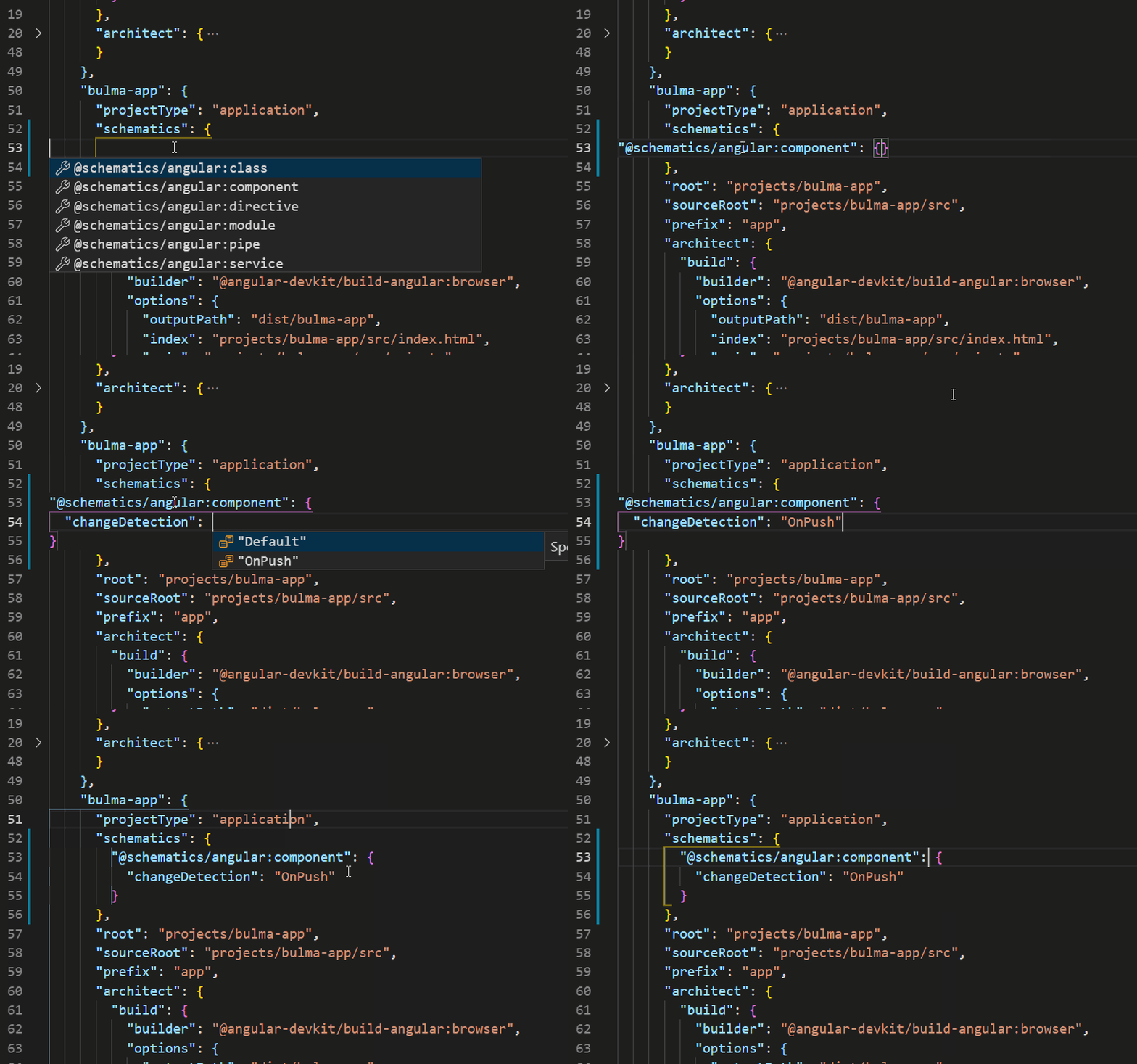
As you can see above once we move inside schematics options we can override several options by selecting one of the below, whichever you want to override.
- @schematics/angular:component
- @schematics/angular:class
- @schematics/angular:directive
- @schematics/angular:module
- @schematics/angular:pipe
- @schematics/angular:service
We will take an example of @schematics/angular:component in your project go ahead and below json.
"@schematics/angular:component": {
  "changeDetection": "OnPush",
  "inlineTemplate": true,
  "viewEncapsulation": "None"
}
The next step is to run the below command to create a component.
ng generate component homeAnd notice the difference from the earlier generated component, you will have no .html file and changeDetection and viewEncapsulation properties will be available for you.
Conclusion
We are not covering all properties, as this will be for you to explore and use the most suitable options for your project. Schematics is really powerful, and this is what drives various commands in Angular CLI like generate component, generate service, but you may not need default options and may need to override some properties of Schematics, by using these options no need to make changes manually. Go ahead and automate and decide the best options for your project.