
I consider myself an active StackOverflow user, despite my activity tends to vary depending on my daily workload. I enjoy answering questions with angular tag and I always try to create some working example to prove correctness of my answers.
To create angular demo I usually use either plunker or stackblitz or even jsfiddle. I like all of them but when I run into some errors I want to have a little bit more usable tool to undestand what’s going on.
Many people who ask questions on stackoverflow don’t want to isolate the problem and prepare minimal reproduction so they usually post all code to their questions on SO. They also tend to be not accurate and make a lot of mistakes in template syntax. To not waste a lot of time investigating where the error comes from I tried to create a tool that will help me to quickly find what causes the problem.
Angular demo runner
Online angular editor for building demo.
ng-run.com
Let me show what I mean…
Template parser errors
There are template parser errors that can be easy catched by stackblitz
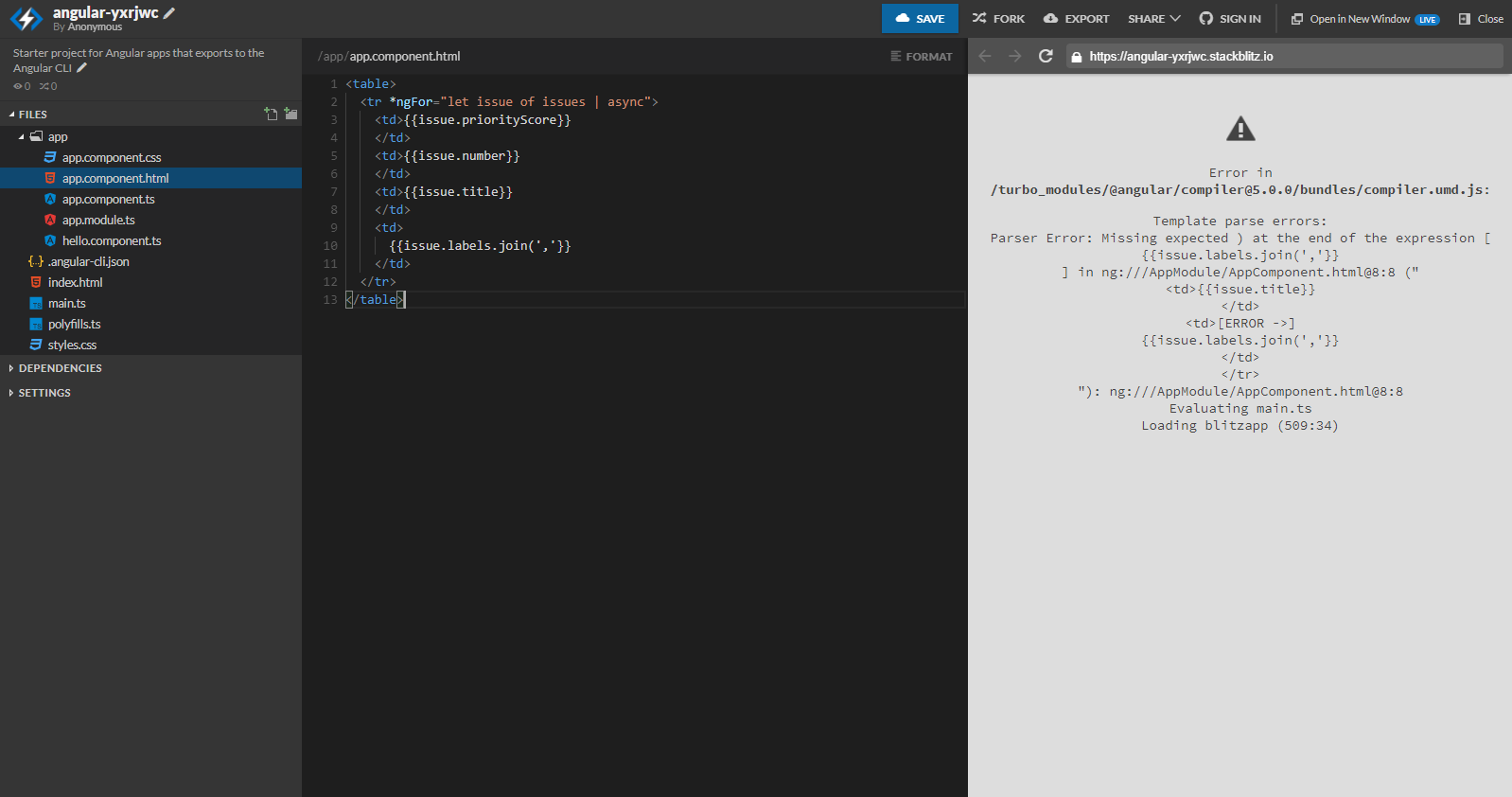
It gives me some information but I want the error to be highlighted
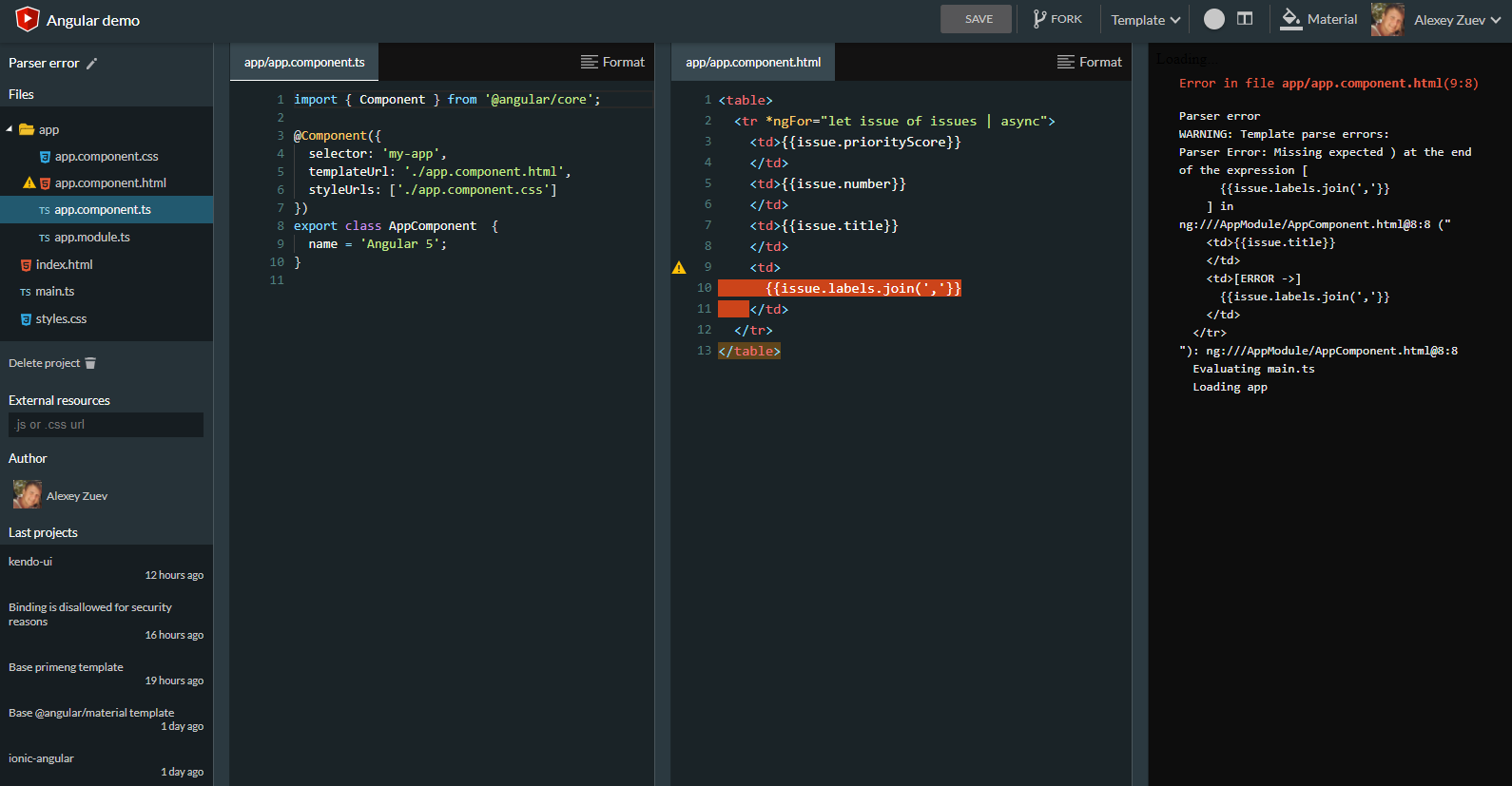

It also works within ts files
Runtime errors
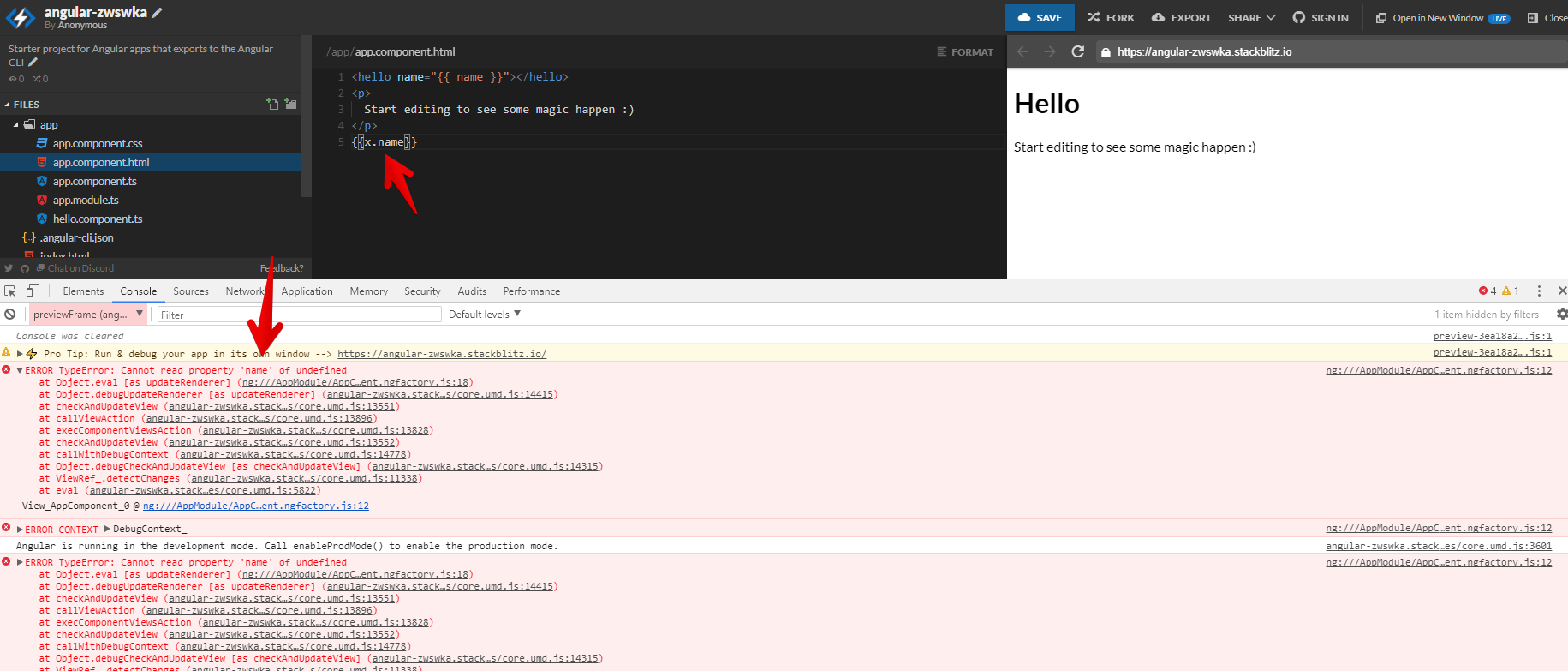
While stackblitz catches all template parser errors i have to open DevTools Console to catch all other runtime errors. And even i can see the error i doubt what it means and where it comes from.
Let’s start with simple expression in template:
{{ x.name }}
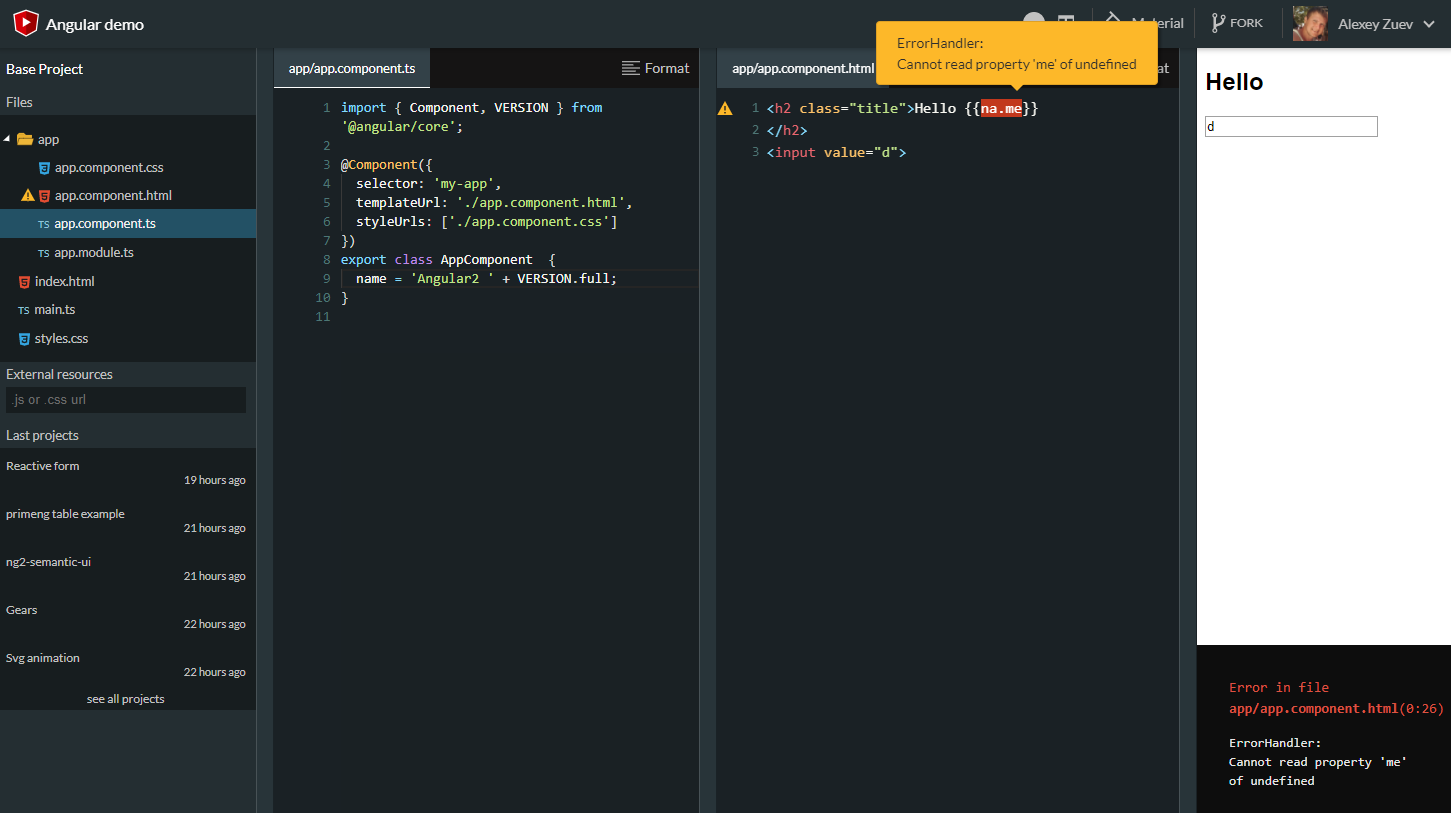
It would be better if we could see it like
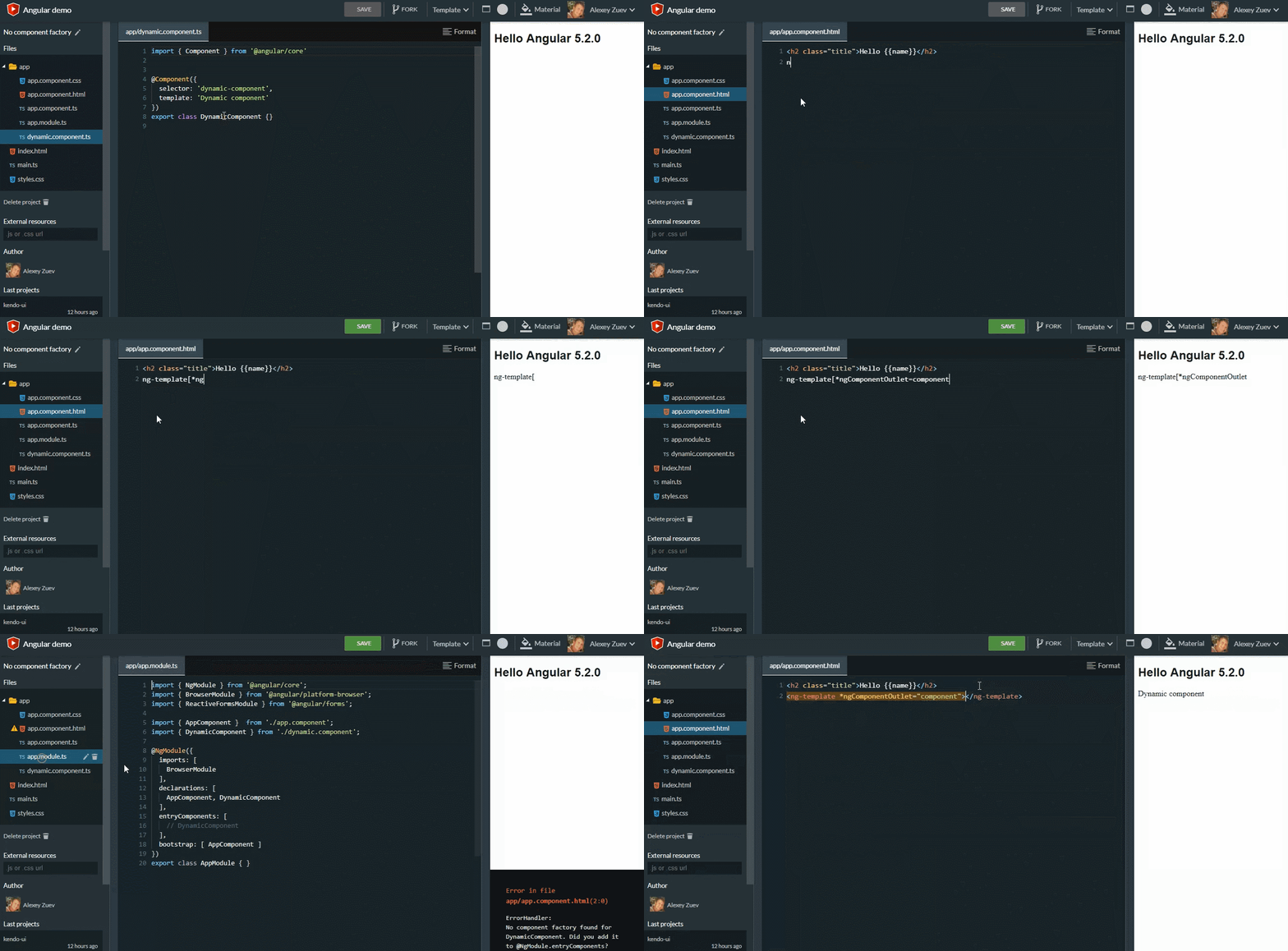
I often deal with dynamic component creation and like many people can forget to add component to entryComponents array
Some error can happen during executing of event handler
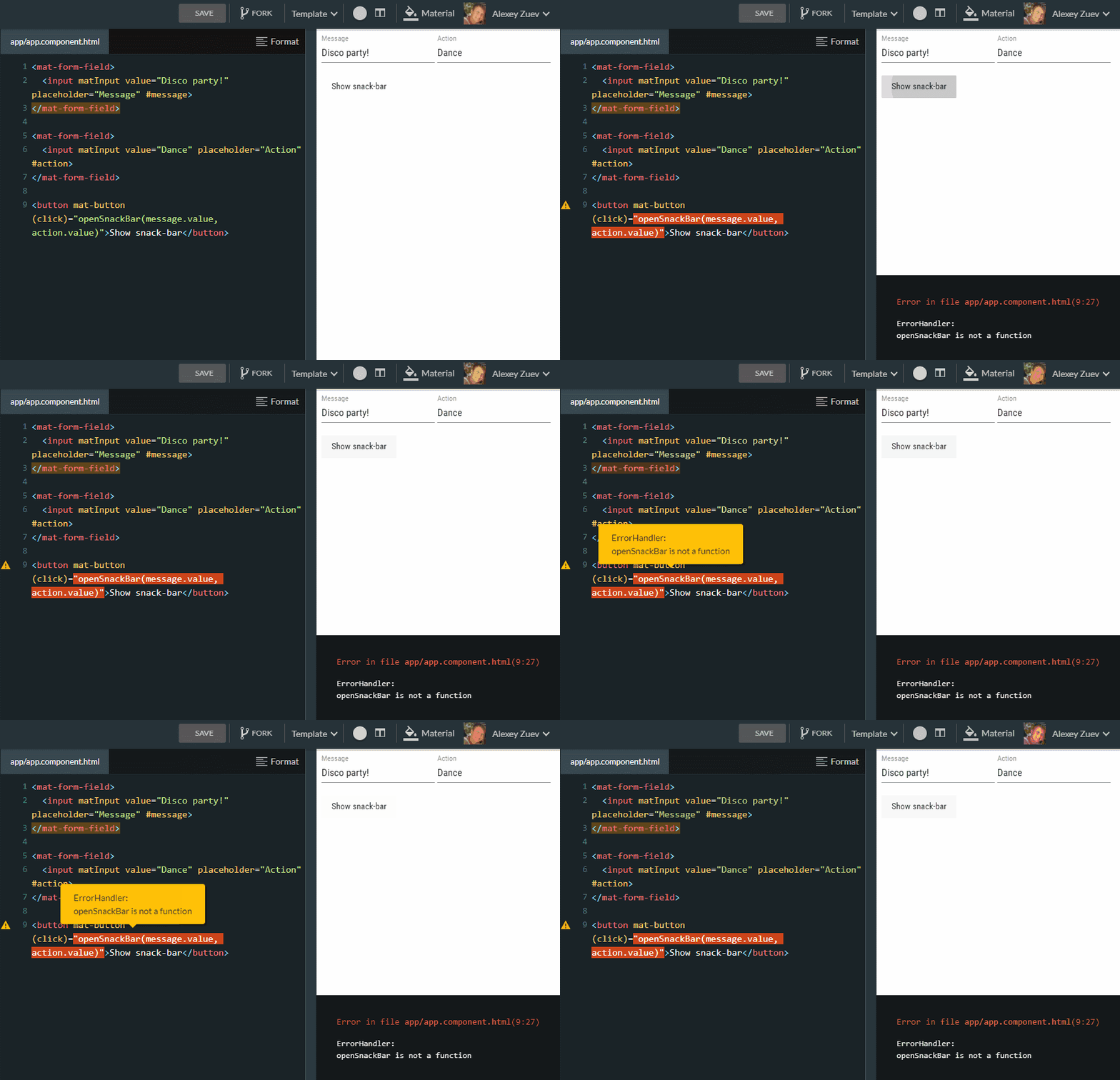
ExpressionChangedAfterItHasBeenCheckedError
While such feature requests like
- Show more details with the ExpressionChangedAfterItHasBeenCheckedError
- Feature fix(core): add binding name to the error message
expression changed after it was checked - Feature 2 feat(core): add expression name to ExpressionChangedAfterItHasBeenCheched
are unsupported yet i can get more details now.
(Update: since angular 5.2.3 we can see binding name https://github.com/angular/angular/commit/2af19c96f215794260c22057f0f9b9a93cccdb00 but not for interpolated values)
Here is a simple example:
Let’s also take a look at an example with routing:
What else?
There are also several features that help me to build demo quickly:
- Integrated Angular language service (Syntax diagnostics and completions in html)
- Angular CLI Generator for Component, Service, Directive, Module an Pipe
- Auto import
- Go to definition
- Prettier
- Emmet in css and html (including inline templates)
- Syntax highlighting, completion and formatting for inline angular templates
- Splitting layout into two sections
- Predefined templates
- A lot of themes
- Snippets (
angcangd)
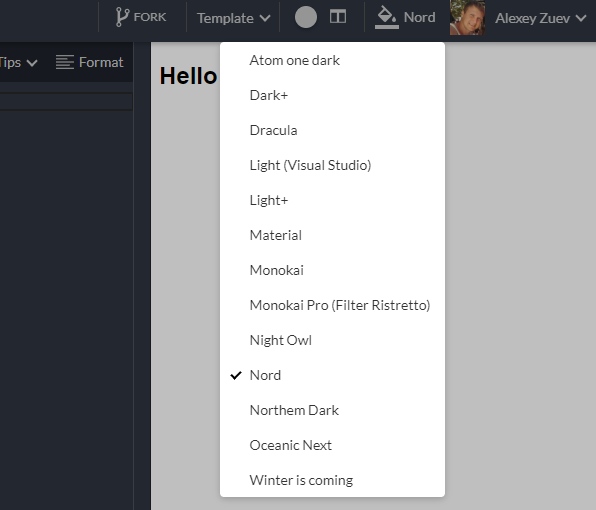
Availavle themes
Thanks for watching:)