
Angular Reactive Forms are not strongly typed! AbstractControl and it’s implementations FormControl, FormGroup and FormArray do not support strong typing their value or changes or any other property/method. For the longest time, I accepted and worked around that, considering it just one of life’s things , but then I decided to change that.
In this article I want to share the process I went through while gradually adding strong types to my forms. If you just want to see the end result, check out ngx-forms-typed library. It’s strongly typed, backward compatible (works with Angular 2.4.0) and reduces boilerplate.
For my job, I had to do a reasonably large form, enough to make me fear the business logic mixing with the form logic and sub-parts of the form. I wanted to have a strongly-typed, easy to use and @angular/forms way to extract sub-forms components from a large form. Much like we extract components to handle their own concerns. The (sub) form component would need to conform to the following requirements:
- have a strongly typed model
- @angular/forms — compatible
- use existing abstraction for communication, like
AbstractControlandControlValueAccessor, to handle validation, status changes, etc.
In short, I wanted to have a component that could be used as a single control in a larger form and be a form in its own right with multiple fields, validation, status changes. And all the while keeping the parent form happily unaware of implementation details and communicating via the AbstractControl API.
For example Address as a sub-form in a Person form and in an Order form. But the full form in a NewAddress form.
This work draws some inspiration and ideas from “Working with Angular forms in an enterprise environment” and “Building scalable robust and type safe forms with Angular” . I would encourage you to read those articles.
In the beginning
I was decorating my FormGroup-s and their constituent FormControl-s with types, like this:
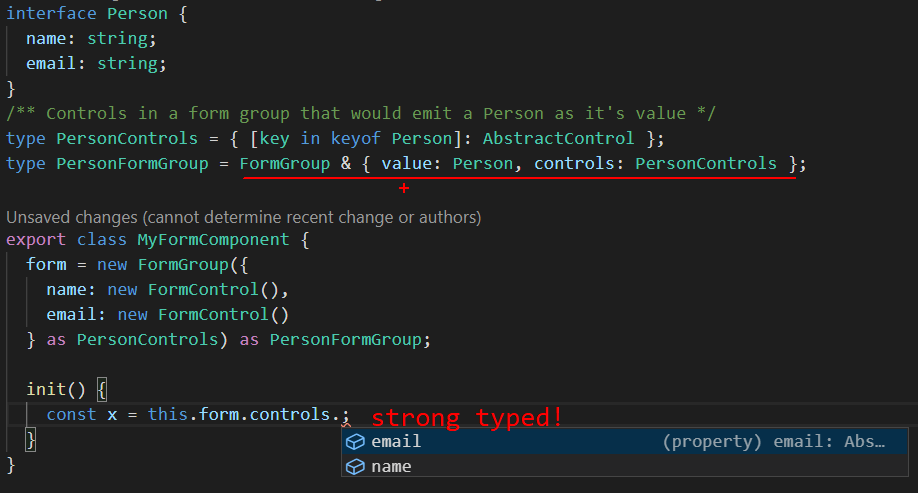
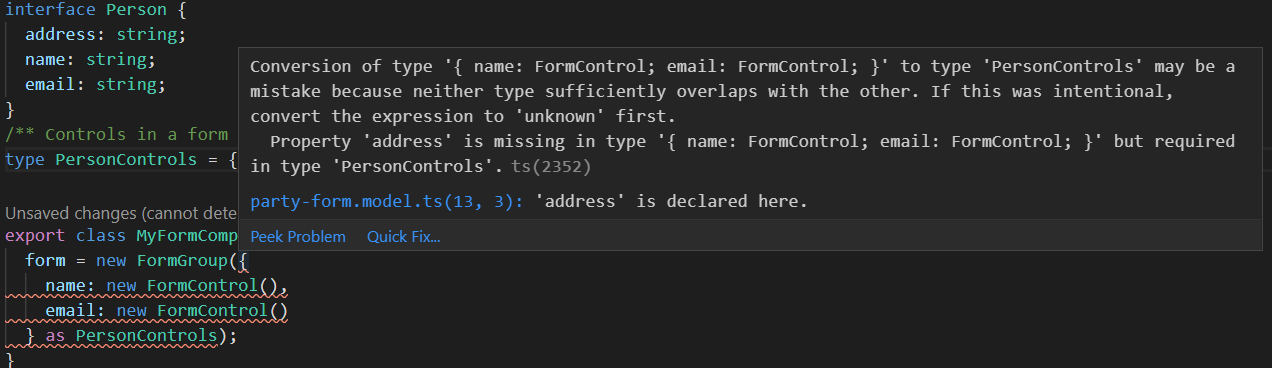
Now I could rely on strong typing during refactoring or adding/removing features. Any Person type change would trickle down to the form — for example, if the property address was to be added I would get an error immediately (vs run time and maybe):
Then I suffered the form.controls.get('name') way of reaching my controls. I did not like the pattern of creating a public getter for it. Mainly, I wanted type safety. So:
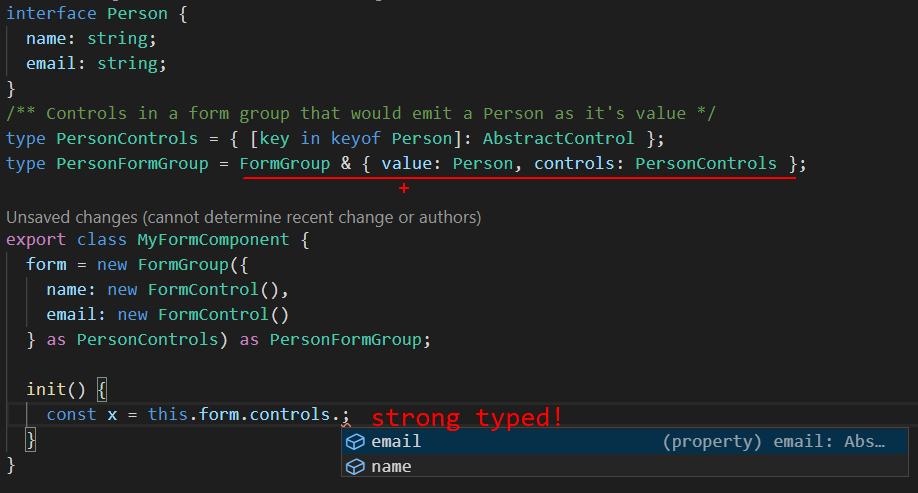
Yaay, intellisense! Productivity!
Now I had intellisense for my controls that significantly increased my productivity. And with a bit more finesse I had a type-dependent form group (or model-dependent if you will). See this little change trickling down:
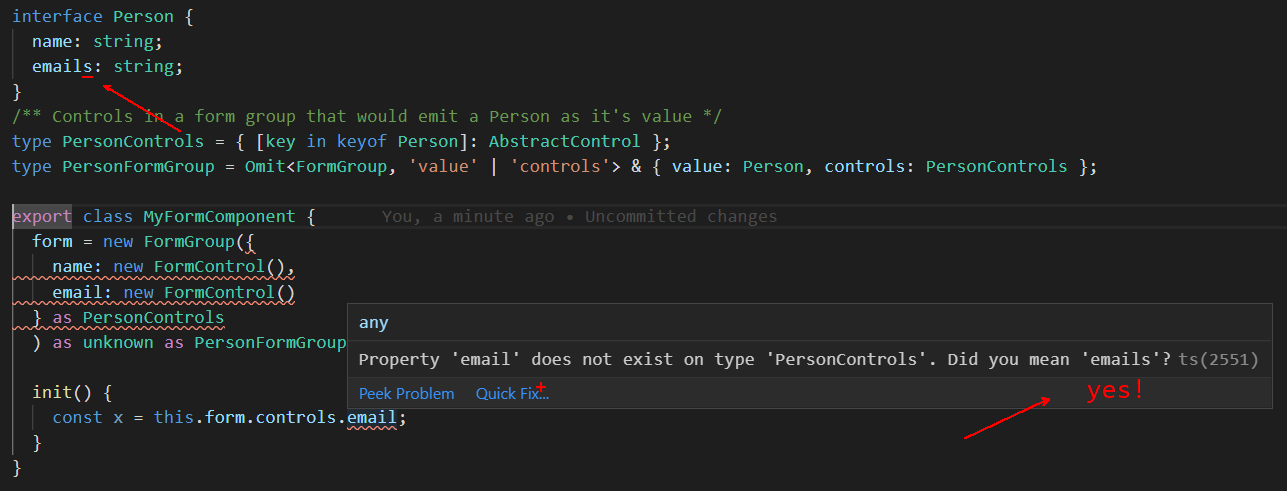
Notice the email changed to emailS and causing Typescript to give me a very helpful error message ?
Did you notice the as unknown as PersonFormGroup (at the end of the form group instantiation form = new Form(…) as unknown …)— that’s what I was referring to as beating Typescript. In this case, I knew better than it what the actual shape of the run-time thing is! This is the only case so far usually, Typescript ️knows better!
Taking this work to the next step is to type as much of the FormControl/FormGroup/FormArray types as possible. And the result is the package ngx-forms-typed. It provides the TypedFormControl (GitHub src) TypedFormGroupand TypedFormArray types.
For example, let’s take a look at TypedFormControl<K>:
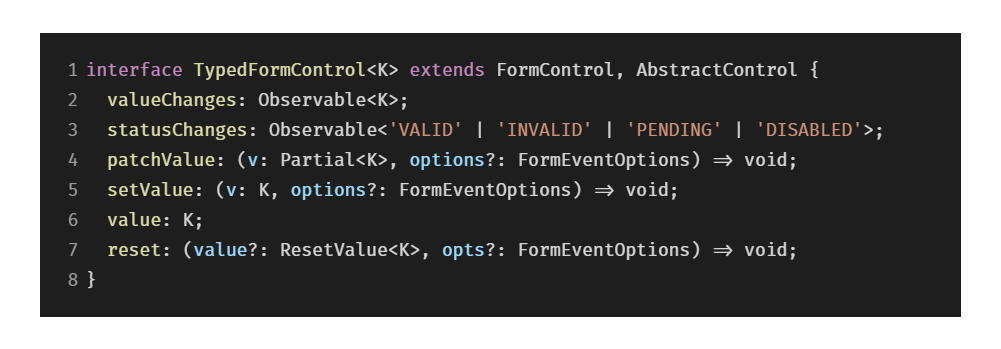
It adds a strong type to the value and valueChanges properties of FormControl so that you know what shape the value is when using it. It also strong types the method setValue so that you’d need to pass in a value of the expected type and maybe options — also strong typed. reset method is strong typed too. See ResetValue<K> source.
And helper functions for creating instances with those types typedFormControl (GitHub src), typedFormArray and typedFormGroup which make the creation of forms strongly typed too:
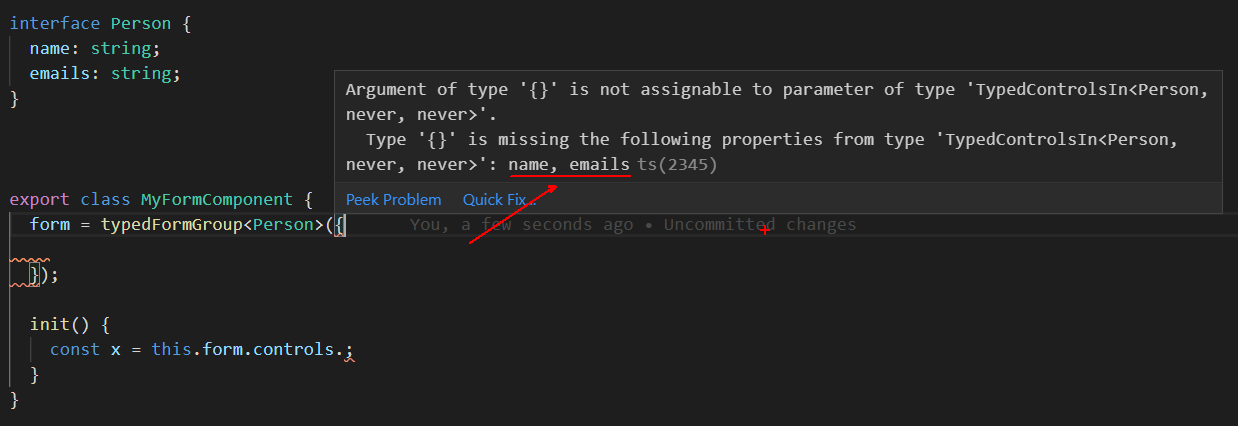
Typescript error pushing us towards the required properties and their types!
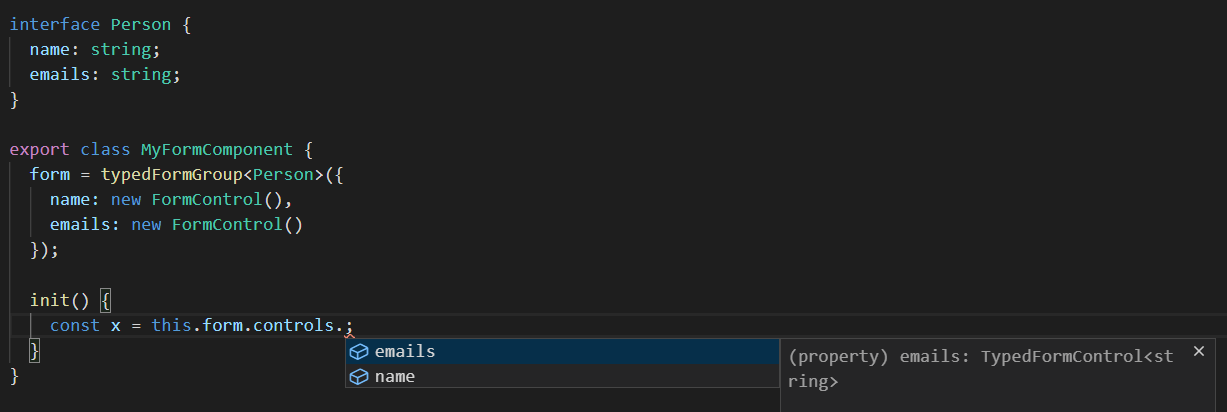
Does intellisense too!
The function itself only instantiates a FormGroup which is to say that it is compatible with existing forms code and can be used next to it without breaking it:

Types omitted for brevity. See full source here.
Nested forms
I wanted to enable forms and sub-forms to communicate i.e. when sub-form get’s touched — touch the parent when it gets invalid — make the parent invalid too. These two are supported by the ControlValueAccessor abstraction. I also wanted to force the sub-form to get touched on cue from the parent, in order to show validation, which is not supported by ControlValueAccessor. I wanted to use existing ControlValueAccessor-AbstractControl channels of communication.
I came up with a builder-like pattern for interaction with controls of a form group/array. It comes in a function called forEachControlIn (see full code in GitHub). Its goal is to make interacting with controls in a form and between forms easy. It relies on having references to the forms.

Finally, to avoid boilerplate I tied it all in a ControlValueAccessorConnector (see full code on GitHub). It handles all the connection logic between a parent form and a sub-form.
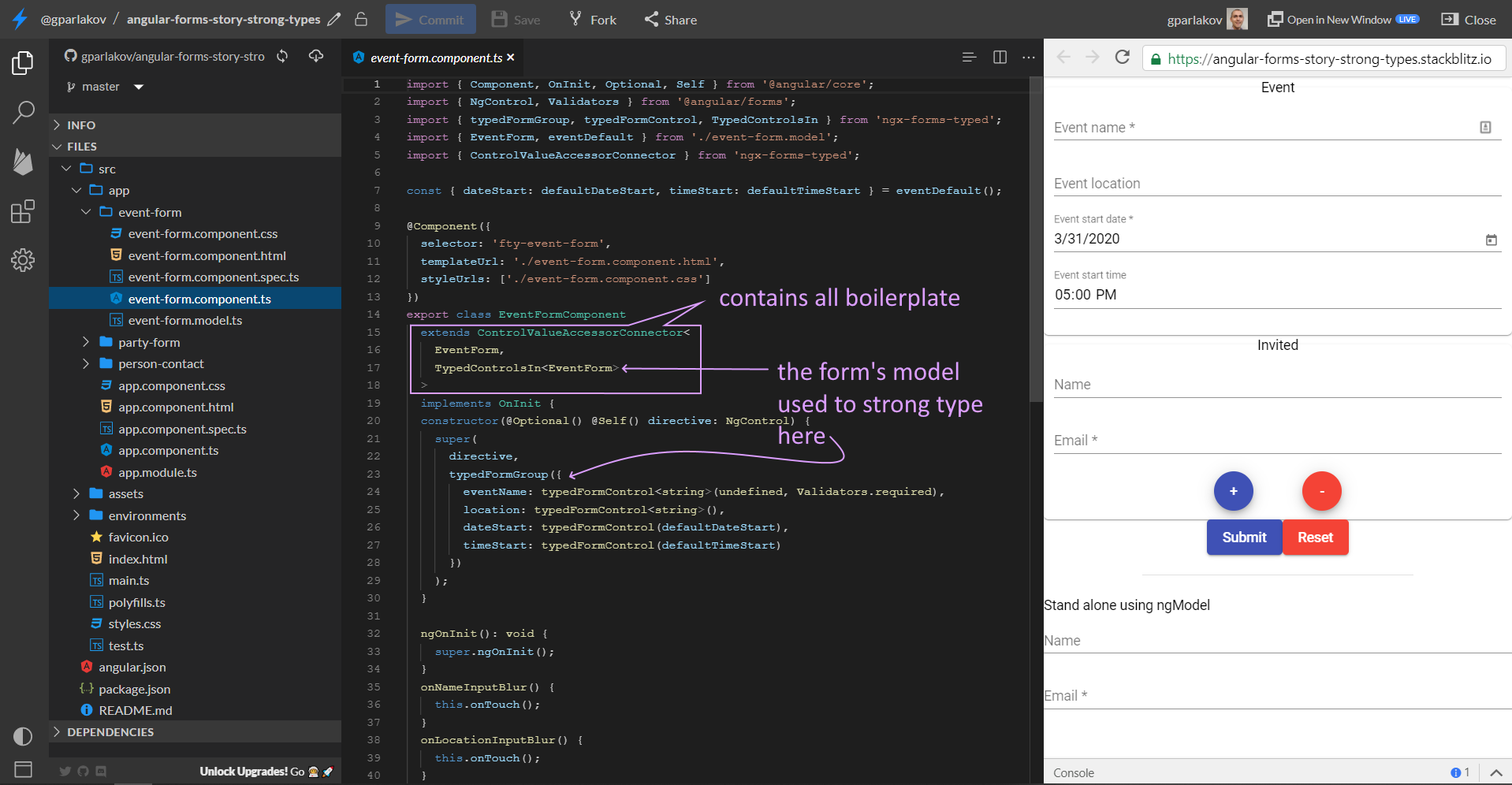
See a live example here and code in Stackblitz.
Just like a user would expect, pressing the Submit button shows validation for the whole page. Blurring an input control shows validation only for that control.
There’s example of nested form using formGroup directive in the party-form.component and a stand-alone one, using ngModel in app.component.
This was a short introduction of the library. Would you like to see a deep dive? Vote here. I’m in the process of writing an article where I’ll summarize my research in the @angular/forms space of packages, PRs, and articles.
There are other things I’m working on related to Angular forms and a few open source Angular Dev Tooling projects you can check out:
- SCuri — Unit test boilerplate automation (with Enterprise support option too)
- ngx-forms-typed — Angular form, only strong typed!
- ngx-show-form-control — Visualize/Edit any FormControl/Group
Thank you for reading!